
For agencies
Keep client invoices moving, without adding more admin.
From project billing to payment follow-up, PayFlowAI helps small agencies create invoices, see what is still outstanding, and handle reminders more consistently.

Every client has a project. Every invoice needs a next step.
An agency can finish the work and still have admin left: prepare the invoice, send it, monitor the due date, and follow up when payment is late. PayFlowAI gives those steps a more consistent place in the workflow.
01
Invoice the work
Create an invoice draft with Natural Language Invoice Creation and review it before sending.
02
See what remains outstanding
Track payment status and the amount still owed on each client invoice.
03
Follow up consistently
Prepare professional reminders for review. Scheduled reminders are available on Pro.
Payment status
Know which invoices need attention.
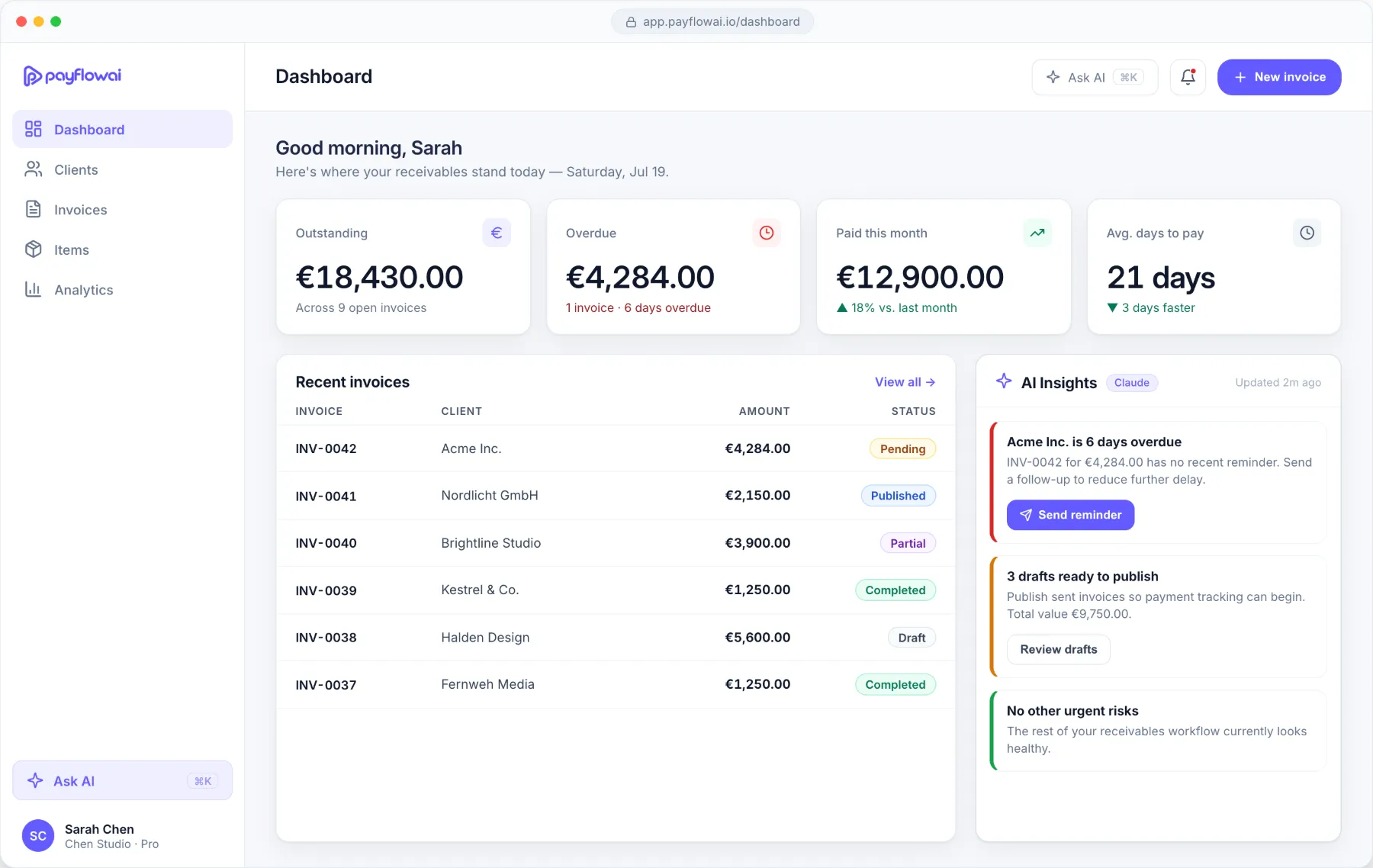
A clear paid and outstanding view shows which client invoices need a follow-up, so you are not piecing it together from notes and email threads.
The workflow
A repeatable invoice-to-payment workflow.
The same five steps for every client, so follow-up does not depend on someone remembering to send an email.
-
01
Complete a project milestone or reach a billing point.
-
02
Describe the invoice and review the draft.
-
03
Send the invoice to the client.
-
04
Track payment status and outstanding amount.
-
05
Review and send a reminder when needed.
On Pro: scheduled reminders

Payment reminders
Follow up without making it awkward.
PayFlowAI can help draft a polite or firmer reminder for you to review. Pick the tone that fits the client and how late the payment is.
Scheduled reminders are a Pro feature
Built for small agencies, not a finance department.
PayFlowAI focuses on the work between issuing an invoice and receiving payment. If your business needs a full accounting platform, complex approvals, or advanced multi-entity controls, check the current feature set first.
What it covers
- Client and invoice records
- AI-assisted invoice drafts
- Payment status and outstanding amounts
- Reminder drafts, scheduled on Pro
What it is not
- An accounting system
- A project-management tool
- An approvals workflow
- A debt-collection service
FAQ
Questions from agencies.
More detail on Features, How it works, Pricing, E-invoicing and Security.
Is PayFlowAI suitable for a small agency?
Yes, if you bill several clients and the owner or an administrator handles invoicing and follow-ups. PayFlowAI focuses on the steps between issuing an invoice and receiving payment.
Can we track invoices across multiple clients?
Yes. Every invoice is linked to a client record, and the invoice list shows each invoice’s status and outstanding amount in one place.
Can PayFlowAI create invoices from project details?
You can describe the project work in plain language and Natural Language Invoice Creation prepares a draft for you to review. PayFlowAI does not read data from project-management tools.
Can reminders be scheduled automatically?
On Pro, you can schedule reminders to be sent automatically. On both plans, PayFlowAI drafts reminders for you to review and send. Automatic sending is not switched on by default.
Is there a free plan?
Yes. Starter is free forever and includes up to 3 active invoices and 5 clients. Most agencies billing several clients will need Pro. See Pricing for current plan details.
Spend less time managing invoice follow-ups.
Give client billing and payment tracking a clearer, more consistent workflow.