
How it works
From finished work to paid invoices, step by step.
PayFlowAI helps freelancers, consultants and small businesses handle the admin that comes after delivering work. Create an invoice with AI assistance, review and send it, see what has been paid and what is still outstanding, and follow up when a payment is late—all in one workflow.

The payment workflow
One clear process from invoice draft to payment follow-up.
-
01
Describe the work
Enter the client, the work you did, the line items and any other invoice details.
-
02
Draft with AI
Natural Language Invoice Creation turns a plain-language description into a proposed invoice draft for you to review.
-
03
Review and send
Check amounts, tax and due date, make any corrections, then issue the invoice and send it to your client.
-
04
Make payment straightforward
Where online payment is enabled, your client can pay from the invoice’s payment link or page. Payments go through your own Stripe account; PayFlowAI does not hold the funds.
-
05
See what is outstanding
Check each invoice’s status and see what has been paid, what has been partially paid and what is still owed.
-
06
Follow up on time
When an invoice is overdue, AI drafts a reminder for you to review and send.
On Pro: schedule reminders to send automatically
More than invoice creation
Know what needs attention, without chasing every detail manually.
Create invoices with less repetitive admin
Describe the work in plain language and let Natural Language Invoice Creation prepare a draft. You stay in control: review the details and make changes before sending.
Keep a clear view of receivables
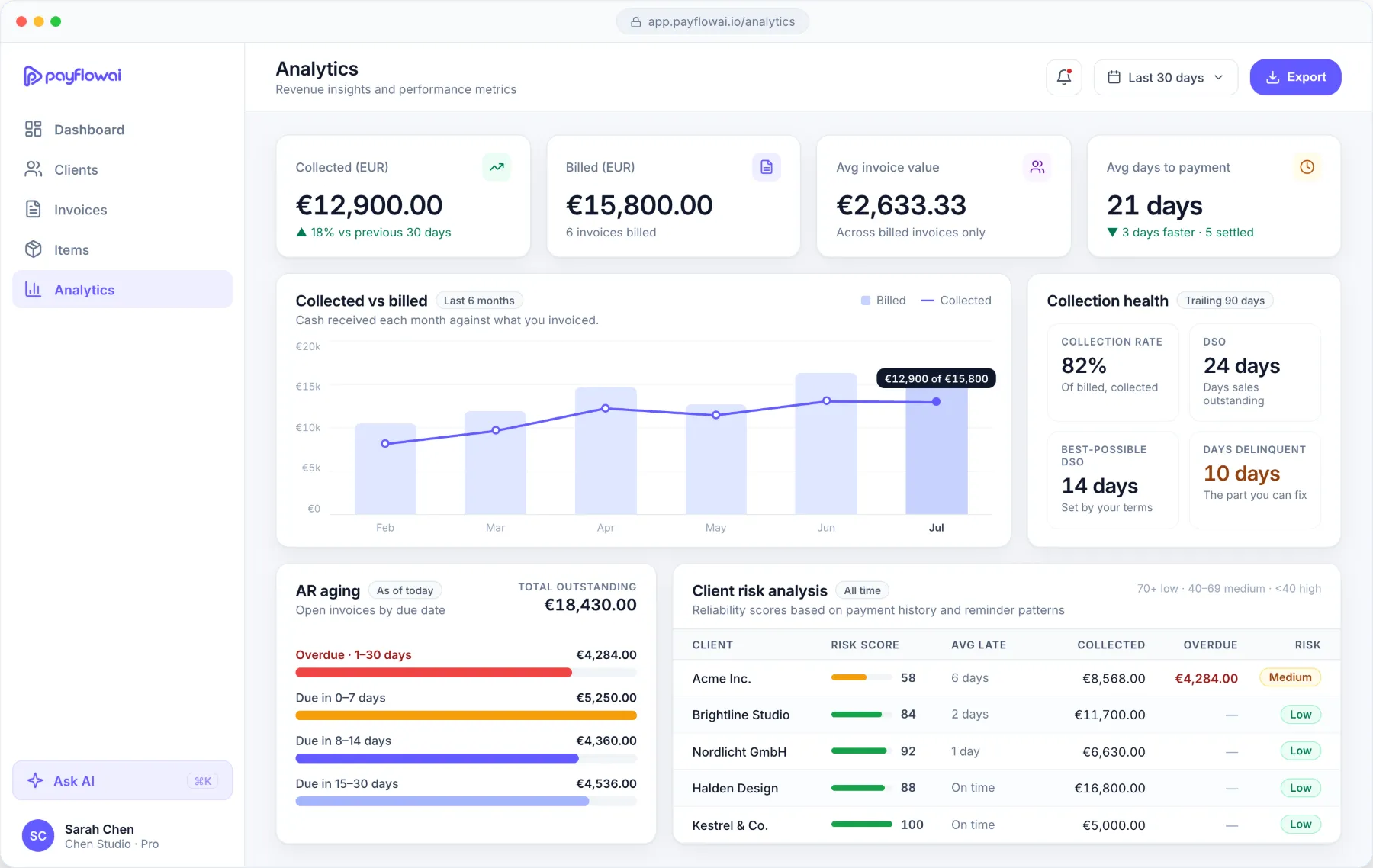
See invoice statuses and payment progress in one place. Understand what has been billed, what cash has arrived and what remains outstanding.
Make follow-ups more consistent
When an invoice is overdue, use an AI-drafted reminder in a tone that fits the client relationship. Review it before sending, or schedule automatic reminders on Pro.

Built for service businesses
From project delivery to payment, without the spreadsheet shuffle.
Imagine you have finished a client project. You describe the work and invoice details, review the AI-assisted draft, and send the invoice. As the client pays, you track the payment status and remaining balance. If the due date passes, PayFlowAI helps you prepare a professional reminder—so following up is part of the process, not another task you have to remember.
- Work delivered
- Invoice reviewed and sent
- Payment tracked
- Reminder if overdue
Made for lean teams
A simpler way to manage the work between invoice and payment.
Freelancers
Create client invoices, track whether they have been paid and handle follow-ups without building a manual process around every invoice.
PayFlowAI for freelancers →Consultants
Keep billing and payment status organised across multiple client engagements.
PayFlowAI for consultants →Agencies and small B2B teams
Get a clearer view of invoices and outstanding balances without relying on scattered spreadsheets and email threads.
PayFlowAI for agencies →Plans
Start free. Upgrade when you need more.
Starter
€0, free forever
Up to 3 active invoices and 5 clients. Includes Natural Language Invoice Creation, payment links, payment tracking and AI-drafted reminders, within a monthly AI allowance.
Pro
€19.99/month or €199/year, excl. VAT
Higher usage limits and scheduled automatic payment reminders, so follow-ups go out on time without you sending each one.
FAQ
Questions, answered.
Related guides: How to handle late payments and What is accounts receivable automation?
What does PayFlowAI do?
PayFlowAI helps freelancers, consultants and small businesses manage the workflow between completing work and receiving payment, including AI-assisted invoice creation, invoice and payment tracking, and overdue-payment follow-ups.
Does PayFlowAI create invoices with AI?
Natural Language Invoice Creation uses a plain-language description to prepare an invoice draft. You review and edit the draft before issuing it.
Can my clients pay an invoice online?
Where online payments are enabled, clients can use the invoice’s payment link or page. Payments are processed through your business’s own Stripe account; PayFlowAI does not hold the funds.
Can PayFlowAI send payment reminders automatically?
PayFlowAI helps you draft overdue-invoice reminders on both plans. On Pro, you can also schedule reminders to be sent automatically. Automatic sending is not switched on by default.
Does PayFlowAI replace accounting software?
No. PayFlowAI focuses on invoice creation, payment tracking and follow-ups. It is not a complete accounting system.
Start free
Spend less time managing invoices.
Start free and see how PayFlowAI helps you create invoices, track payments and handle follow-ups in one practical workflow.
